Organizing books
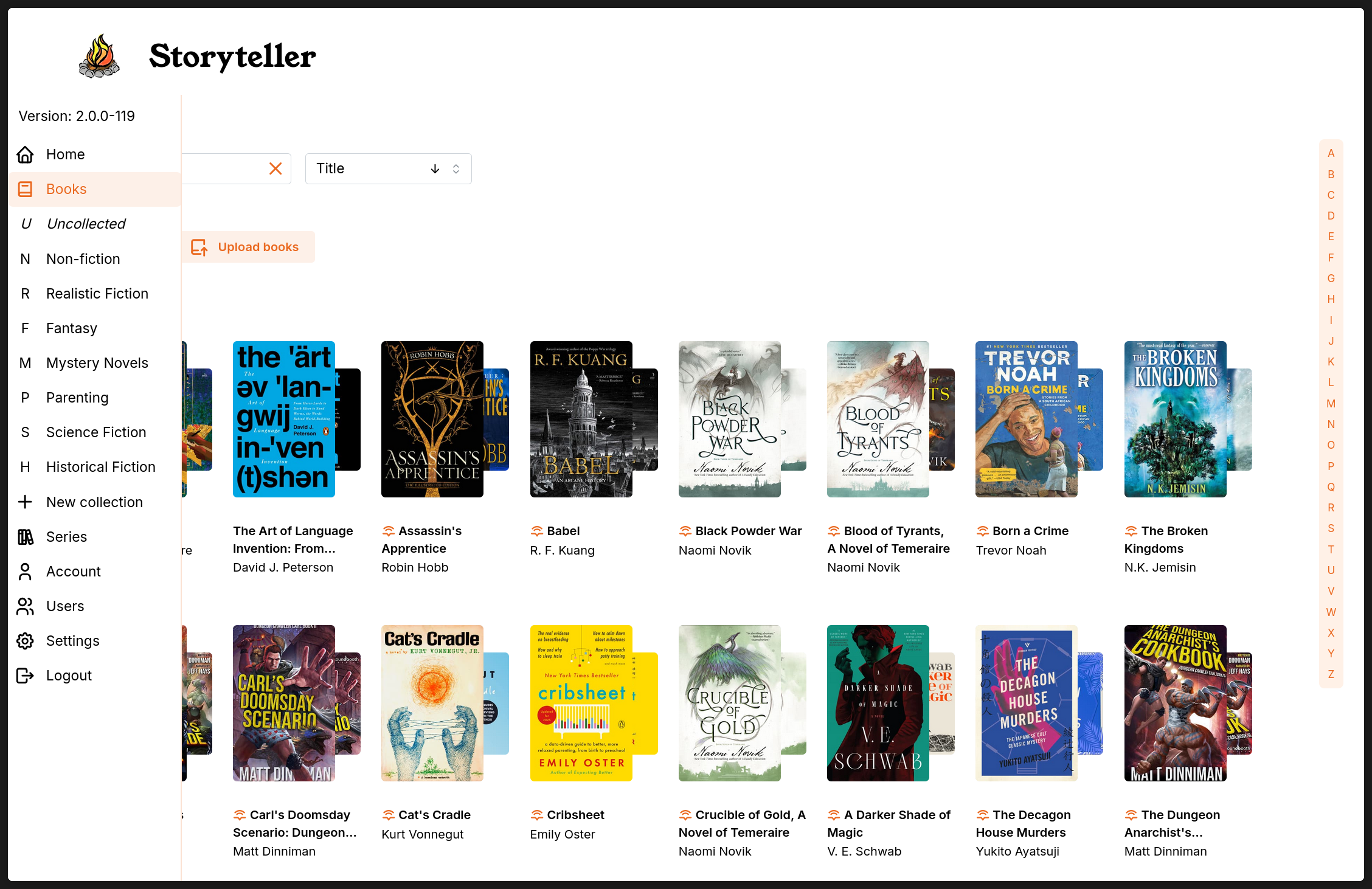
Storyteller has a number of features for managing a large library of books. It supports standalone ebooks and audiobooks, as well as readaloud books (usually produced by Storyteller itself). You can organize your books into collections, decide which users have access to them, and generally manage metadata to your heart’s content.
Data and Metadata
What are the different kinds of data?
Storyteller handles many different kinds of data, and they are treated differently.
-
Intrinsic book data.
This includes facts about your media like file size, audio file duration, codec, bitrate, modifcation dates, and file locations. This is metadata generated by Storyteller at the time of alignment.
This also includes Storyteller alignment metadata: last alignment date, Storyteller version aligned with, and transcription engine. This Storyteller-specific metadata is embedded into the readaloud file on creation, but not into the original source files.
While much of this information is displayed on the book details page, none of these data are editable via the Storyteller interface.
-
This generally comes from the source files and includes standard information like title, author, publisher, publication date, language, etc. It can also include information like narrators, other creators, tags, series, comments or description. If you manage your books with other software, you may also have many other fields—some of which you may have customized to you own preferences.
To the best of our abilities, Storyteller strives to map its metadata choices as closely as possilbe to what other consumer software recognizes for these fields. This data is editalble.
There are plans to add metadata scraping from external sources in later updates.
-
This is metadata that is related to the libary (collections) or to a particular book and a particular user. This list would include: collections, reading status, and position-sync, as well as highlights, notes, and bookmarks (coming soon!). This data shared between the server and the applications, but is not imbedded in the files themselves.
Editable book metadata
Storyteller’s library management system imports book metadata from all source files as well as writes changes into all three file formats when any field is updated in the app.
If all three formats are imported at the same time, preference is give to the metadata in the following order: (1) readaloud first, (2) epub, (3) audio file(s). If any file has information that other files do not have, it will be added to the correct field.
Currently, the metadata that is imported and accessible for editing includes:
- Title (and seperate sub-title if it exists)
- Author(s)
- Narrator(s)
- Other creators (and their MARC relator roles)
- Publication Date
- Language
- Tags
- Series and series index number (including multiples)
- Comments/description
How to edit metadata
When you click on a book cover thumbnail from any view, you will be taken to the book details page where you will see all metadata extracted from the books. On this page, you have easy acces to downloading any version of the book as well as updating the status (to be read, currently reading, read) for the book.
To access the remainder of the editable metadata, you click on the pencil.
:::info Writing edits to files
Any edits made on this page will be propogated to all existing formats of the book. If you have pointed your auto-import function to an external folder where you are managing metadata with another application, Storyteller is blind to these changes. All data will be overwritten by Storyteller’s dataset whenever an update is triggered.
:::
Series
A special note about series: Series are a standard part of metadata found in many books. Storyteller gives you the ability to assign a book to more than one series (perhaps chronological order and publication order, or overarching series, or cross-overs) and to assign which series you consider the primary series.
Library-specific metadata
The two main systems for classifying and organizing books in Storyteller in addition to traditional metadata like tags and series are collections and user-based data.
Collections
Collections are a special cateogization in Storyteller that can be customized to the user/owner’s preferences. Collections are also the basis for sharing your library with others. Only users granted this special permission may make or edit collections.
You may create collections based on whatever criteria you want — they can map to genres, audience (“children” and “adults”), user groups (“friends” and “family”), or anything else. Your collections will show up in your navigation bar as you create them.
You can have an arbitrary number of collections and any one book may be added to an arbitrary number of collections. A real-world analogy is your bookshelves at home (with the added bonus of having multiple copies of any one book to add to any shelf or group you want).
By default, collections are public. A public collection can be viewed by any user that you’ve invited to your Storyteller server. Collections can also be made private. Private collections are only visible to their creators and any users that have been explicitly invited to the collection by its creator.
:::info Permissions
Book permissions are determined by collections. A user can see any book that belongs to a collection that they can see, as well as any book that does not belong to any collections. If a book only belongs to collections that a user cannot see, that user will not be able to see the book.
This means that just putting a book in a collection marked “Private”, is not enough to keep that book private if it also appears in any shared collection.
:::
User-specific data
Much of the Storyteller data is specific to individual users. If you are not sharing your library, it is only important to understand that none of the below data is embedded into the media files.
If you are sharing your library, then it is important to understand that this data is visible to the individual users, not shared between users. (See Sharing your books for instructions on how to share your library with friends and family.)
This is currently limited to position-syncing and reading status, but notes, highlights, bookmarks — which currently live only on the device where they are created — will be synced across devices soon. Additionally, there are plans to introduce ratings as well and custom shelves in the near future.
Position-syncing
The raison d'être for Storyteller is position-syncing—both within a single instance of a readaloud book where the audio and the text are kept in sync for easy switching back and forth as well as between apps where your place can be transmitted from one device to another (when the devices are both connected to the server.)
There are plans to use position-syncing data in the future to provide users with personal reading statistics and reports.
Reading status
Reading status is unique to each user. Currently, a book must be in one of the following categories: “Read”, “Reading” or “To read”. Status is synced accross all devices that have access to the server. (The ability to change these names or add additional mutually exclusive categories such as “Did not finish” are planned.)
When books are intially imported, the default status is “To read”. If you are a guest on someone else’s storyteller instance, all books will be marked as unread when you first log in.
- You can change the status of any book on that book’s details page, or via the bulk action menu.
- Books are automatically added to the currently reading list if you open it on any device. You may also add it to the list from the details page.
- Books are automatically moved to the read status when 98% of the book has been completed, if they previously had the “Reading” status.
Notes, Highlights, Bookmarks
Currently, notes, highlights and bookmarks are not preserved nor are they synced accross devices. Preserving these across the server is coming soon.
Ratings
A personal rating system is planned in a future update.
Personal Shelves
The ability to add both book-based as well as filter-based custom shelves is planned as a way to give all users the ability to organize books even if they do not have the ability to change metadata (tags) or create collections is also coming soon.
Finding Books (search, sort and filter)
The quickest way to find a particular book is via the search bar on the “Books” (or any collection) page.
You can also easily sort books on the following fields: Title, Author, Last aligned, Created, and Publication Date.
Additionally, you can filter books by Collections, Tags, Authors, Series, Format, and Status. To find the filters, click on the “Advanced” button under the search bar.
Currently, selections from within any filter are performed as an “or” function (any book meeting any of the criteria will be included) and multiple filters are performed as an “and” function (book must meet all criteria).
Example: If you search for “science fiction” (tag) and “fantasy” (tag), you will get all books that have either tag, but if you search for “science fiction” (tag) and “fantasy” (collection), you will only get books in your fantasy collection that also include the “science fiction” tag.
For large collections, an alphabet jumper is available to quickly move through the list of books.
:::info Pro-tip
If you have a favorite view, consider saving it as a bookmark, so you can get right to it. Ex:. https://your.sever.here.net/books?sort=align-time%2Cdesc for your most recently aligned books, or https://your.sever.here.net/books?bookTypes=ebook-audiobook-only for your books that have both the audiobook and ebook, but have not yet been aligned.
:::